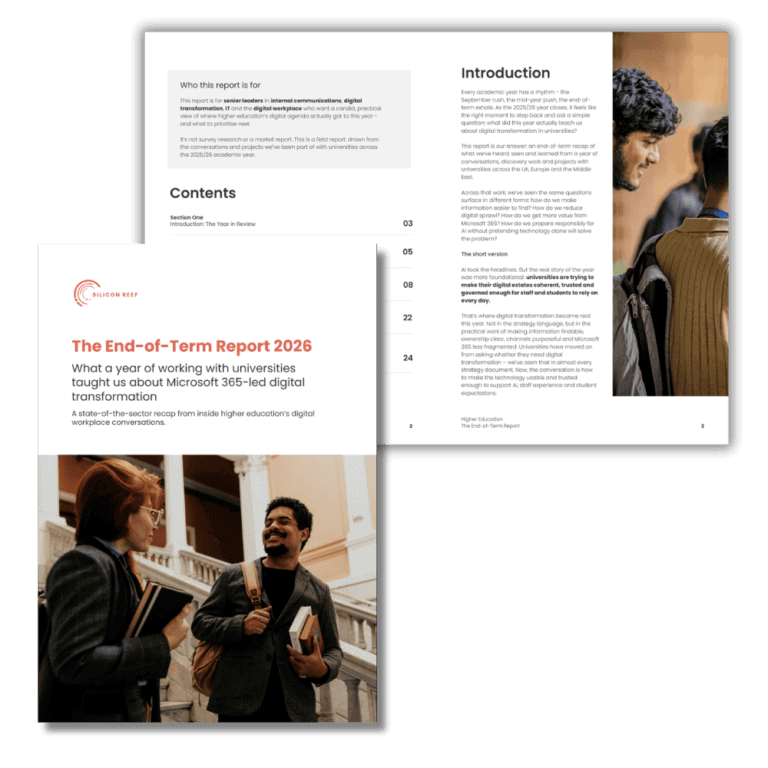
Higher Education: End-of-Term Report 2026
What a year of digital transformation in universities taught us
Explore the key trends shaping Microsoft 365 digital workplaces, from intranets, findability and governance, to AI and agents. Download the PDF or read the full report below.
Key Takeaways
- Universities are thinking beyond the intranet. Digital workplace conversations increasingly focus on the wider operating model that supports communication, collaboration, governance and employee experience.
- Findability remains one of higher education’s biggest challenges. Across institutions, fragmented information, duplicated content and unclear ownership continue to make it difficult for staff to find trusted information quickly.
- AI adoption is becoming more practical and governed. The conversation has shifted from experimentation to real-world use cases, with universities placing greater emphasis on governance, guardrails and readiness.
- Good governance is increasingly viewed as an enabler. Institutions are looking for ways to balance central standards with local ownership, helping teams move faster without creating more digital sprawl.
- Financial pressure is driving Microsoft 365 consolidation. Rather than investing in new platforms, many universities are focused on getting more value from the Microsoft technologies they already own.
- The foundations matter more than ever. Information architecture, content quality, ownership and governance are becoming critical prerequisites for successful digital transformation and AI initiatives.
Who this report is for
This report is for senior leaders in internal communications, digital transformation, IT and the digital workplace who want a candid, practical view of where higher education’s digital agenda actually got to this year – and what to prioritise next.
It’s not survey research or a market report. This is a field report: drawn from the conversations and projects we’ve been part of with universities across the 2025/26 academic year.
Introduction:
The Year in Review
Every academic year has a rhythm – the September rush, the mid-year push, the end-of-term exhale. As the 2025/26 year closes, it feels like the right moment to step back and ask a simple question: what did this year actually teach us about digital transformation in universities?
This report is our answer: an end-of-term recap of what we’ve heard, seen and learned from a year of conversations, discovery work and projects with universities across the UK, Europe and the Middle East.
Across that work, we’ve seen the same questions surface in different forms: how do we make information easier to find? How do we reduce digital sprawl? How do we get more value from Microsoft 365? How do we prepare responsibly for AI without pretending technology alone will solve the problem?
The short version
AI took the headlines. But the real story of the year was more foundational:
universities are trying to make their digital estates coherent, trusted and governed enough for staff and students to rely on every day.
That’s where digital transformation became real this year. Not in the strategy language, but in the practical work of making information findable, ownership clear, channels purposeful and Microsoft 365 less fragmented. Universities have moved on from asking whether they need digital transformation – we’ve seen that in almost every strategy document. Now, the conversation is how to make the technology usable and trusted enough to support AI, staff experience and student expectations.
Our vantage point
Over the past academic year, we’ve worked and spoken with a broad range of institutions, from large research-intensive universities to specialist and smaller providers. The work has spanned the Microsoft 365 landscape: intranets and staff experience, SharePoint and information architecture, governance, adoption and AI.
That means we tend to see digital transformation at the point where strategy meets daily work. That gives us a broad enough vantage point to spot recurring themes across institutions at different stages of maturity.
The report is shaped by insights from universities including the University of Leeds, King’s College London, Maynooth University and the Mohamed bin Zayed University of Artificial Intelligence (MBZUAI), to name just a few. So the patterns that follow aren’t one institution’s story, but themes we’ve seen recur across very different university contexts.
A note on how we gathered this
A quick word on method. This isn’t survey research – we haven’t run a sector-wide questionnaire or generated our own statistics.
What you’re reading is qualitative insight from the field – the recurring themes, tensions and turning points we’ve observed first-hand in our work with universities this year. Where we reference sector-wide numbers, they come from published external sources, which we’ve named so you can follow them up. Where we describe what institutions are doing, we’ve often anonymised the detail to respect the candour of individual conversations.
How to read this report
- Short on time? The “At a glance” section recaps everything in two pages.
- Want the depth? The five themes each unpack what we’re seeing, what universities are doing, and our practical advice.
- Planning next year? The final section sets out what the next 12 months are likely to hold.
Section Two
At a Glance
This year, higher education’s digital conversation grew up.
A year ago, many conversations started with the intranet. This year, they increasingly started with the operating model around it: ownership, governance, adoption, lifecycle, information architecture, and the role Microsoft 365 plays in the wider university strategy. AI sharpened that conversation. It made the foundations harder to ignore: content quality, permissions, ownership, findability and trust.
That shift changed who needs to be in the room. Rather than internal communications tackling an intranet in isolation, more conversations are involving IT, CIOs, digital workplace leads, transformation teams and senior operational stakeholders from the start. Conversations are shifting to focus more on university strategy, enterprise thinking and modern digital workplace maturity.
Universities are ambitious, but the lived reality is often fragmented. The institutions making the most progress are building the digital foundations that make technology usable – not just adding more tools. Clear content ownership, strong information architecture, practical governance, real adoption support, and a Microsoft 365 estate shaped around everyday work.
Here are the headlines:
The five themes we heard most this year
| # | Theme | What it means |
| 1 | From “intranet” to “digital campus” | The brief has widened from a comms tool to a university-wide operating model, and a wider set of leaders is now in the room. |
| 2 | Fragmentation, findability & trust | Scattered content, ungoverned SharePoint and email overload make information hard to find, and hard to trust. This is the foundation everything else stands on. |
| 3 | AI: curiosity to governed use | The conversation moved from “should we?” to “how, safely?”, with governance, guardrails and real use cases mattering more than the tools. |
| 4 | Governance as an enabler | Universities are reframing governance from bureaucracy to the thing that lets decentralised institutions move faster, safely. |
| 5 | Doing more with Microsoft 365 | Under financial pressure, the appetite is for consolidation and value from tools already owned, not another disconnected platform. |
What’s in and what’s out
| On the rise | Moving on from |
| Starting with evidence before design Using discovery, audits and staff insight to shape the brief before the solution. |
Platform comparison for its own sake Less debate about the “best” platform; more focus on what’s already owned, used and connected. |
| Treating content ownership as operational work Giving owners time, responsibility and routines to keep important information current. |
Launch as the finish line Launch is being treated as the start of adoption, governance and continuous improvement. |
| Small, useful AI pilots with clear guardrails Choosing contained use cases that build trust, capability and value without unnecessary risk. |
AI as a standalone workstream AI is now part of wider conversations about content, ownership, security and adoption. |
| Governance people can practise day to day Making standards visible through training, review cycles, communities and owner support. |
Internal comms as publishing only The role is expanding into employee experience, digital strategy and service design. |
| Outcome-led business cases Framing investment around time saved, risk reduced, trust improved and work made easier. |
“More channels” as the answer The issue is usually too many disconnected channels, not too few. |
Five things we heard on repeat
The phrases and frustrations that came up repeatedly sounded something like this:
“We need one place people can trust”
“The information exists somewhere – people just don’t know where.”
“We have Microsoft 365, but we’re not using it as a joined-up estate.”
“AI sounds exciting, but we need a safe place to start.”
“We need governance, but we can’t make everything centralised.”
If you’re reading this and nodding along, please know you’re not alone. Almost every university we spoke with this year had variations of the same challenges.
The sector backdrop
Three external forces shaped every conversation this year. We reference them throughout, and name the sources so you can dig deeper.
What’s driving the agenda
Financial pressure is structural, not temporary
The Office for Students’ 2026 financial sustainability report describes the sector’s challenges as “persistent and complex… not discrete, transitory challenges with easy solutions,” and warns that optimistic growth assumptions may be masking the need for deeper structural change.
AI maturity is uneven and cumulative
Times Higher Education’s 2026 AI & Digital Maturity Index – drawing on 4,950 responses from 1,353 institutions across 82 countries – frames readiness across strategy, people, utilisation and technology, with investment often running ahead of real-world use.
Staff and student experience are converging
Expectations set by consumer technology now apply on campus, and the quality of the staff digital experience increasingly shapes the student one.
Section Three
The five themes, up close
Now let’s get into the detail. For each theme, we set out what we’re seeing across the sector, what universities are actually doing about it, and our practical take on how to move forward.
Theme 1
From “intranet” to “digital campus operating model”
The brief has widened. What used to be an internal-comms project is now a conversation about how the whole university runs.
What we’re seeing across the sector
A year ago, many of the conversations we had started with the intranet. This year, they increasingly start somewhere bigger: how the university operates as a whole, how people find and trust information, and how digital ties strategy to everyday work.
That shift changes the shape of the project. The intranet has evolved from a publishing site that sits neatly within internal communications. Now, it’s where strategy, communication, collaboration, knowledge, governance and everyday work meet.
And, as we discussed earlier, that’s reflected by who’s in the room. Alongside internal communications, we’re now regularly talking with IT, Heads of Digital, and – increasingly – CIOs, COOs and directors of transformation. The intranet has become the visible tip of a much larger question about the digital workplace.
Why “digital campus” is more than a new name for the intranet
This doesn’t mean universities stopped caring about intranets. If anything, it shows how much the intranet came to stand for. When people said “we need a better intranet”, they often meant something wider. Staff need to know where to go; content owners need to take responsibility; IT and comms need to work from the same map; the platform needs to support strategy, not just messages; and the digital estate needs to be ready for AI, not simply better looking.
That’s why “digital campus” can be a useful frame. It gives the work more strategic weight, without forcing it into abstract transformation language. But the language matters. If the project is promoted internally as a digital campus, it needs to carry that weight: clear governance, strategic mapping, the right stakeholders, and an agreed view of how information, communication and collaboration fit together. Without that, it becomes an intranet refresh with a different label.
It also connects to strategy. As universities publish their 2030 and 2035 strategies, a common set of themes recurs – people, culture and inclusion; research and knowledge exchange; civic impact; financial sustainability; digital, data and AI; and environmental sustainability. Digital is no longer a workstream beneath these; it’s how most of them get delivered.
What universities are doing about it
- Framing intranet and staff-experience work as part of a wider digital workplace and university strategy, rather than a standalone comms refresh.
- Bringing IC, IT and digital leadership together early, so the platform decisions reflect operational and strategic goals, not just messaging needs.
- Explicitly translating high-level 2035 strategy language into concrete digital priorities: communication, collaboration, information management, governance and AI readiness.
- Moving away from siloed, faculty-by-faculty approaches toward a more unified, university-wide operating model.
Our Take
If your intranet project still lives entirely within comms, it’s probably scoped too narrowly for the ambition behind it. The most durable programmes we see treat the digital workplace as an operating model – a way strategy becomes everyday work – and bring the right leaders in from the start.
You don’t need every executive around the table on day one. But you do need a shared narrative that connects the staff experience to the university’s strategic goals, so the work is understood as enterprise change, not a website.
This is where SharePoint matters. A SharePoint intranet gives universities a practical foundation for that shift towards a more unified, university-wide operating model, because it works with the Microsoft 365 tools staff are already using rather than bolting on another third-party platform. That changes the role of the intranet too: it becomes part of the operational fabric of the university, not just a place to publish internal communications.
Questions worth asking
- Does our digital workplace vision explicitly map to our university strategy, or sit alongside it?
- Are IC, IT and digital leadership working from the same roadmap, or separate ones?
- Who owns the “whole-institution” view, and is that ownership clear?
Theme 2
Fragmentation, findability and trust: the foundations problem
Before AI can answer a question, staff need to trust the information estate it draws from. Right now, too often, they can’t.
What we’re seeing across the sector
If one issue underpins all the others, it’s fragmentation. Universities are complex, decentralised organisations by design, with faculties, schools, departments and professional services all needing some autonomy. But after years of “just adding another tool”, the symptoms are becoming harder to ignore: scattered intranets, ungoverned SharePoint estates, outdated content, inconsistent navigation, legacy platforms and email doing far too much heavy lifting.
The technical problems vary, but the pattern is familiar. Legacy platforms make modernisation more complex. Ungoverned SharePoint estates make it hard to know what’s live, owned or trustworthy. Shadow IT creates duplicated tools and risk outside the main governance model. And when email becomes the default channel for everything, important information quickly disappears into inboxes.
The human cost is findability. At the University of Leeds, discovery work found that only 24% of staff could quickly and easily find the information they needed to do their job. It’s one university’s number, not a sector benchmark – but it reflects a frustration we hear almost everywhere.
What “single source of truth” really means
“Single source of truth” is probably the most common phrase we hear from universities. But the reality behind that ask is rarely a desire for one giant website. What people are really asking for is confidence: confidence that search is pointing them to the right place; that the policy they are reading is the current version; that staff across every faculty are seeing the same version of university news; and that important information is not being contradicted elsewhere.
Naturally, when we talk about the “single source of truth”, improved findability is one of the key outcomes. But it’s important to recognise that findability is not just an interface problem. Better UX, navigation, design and search all help, but they can only go so far if the content estate underneath is duplicated, outdated or ownerless. Most of the time, findability is a content and ownership problem first.
So, while we’ve called this section “the foundations problem”, the point is not simply to build the foundations once and move on. The universities making progress are putting frameworks around those foundations so they stay solid over time: auditing content, rationalising sites, agreeing ownership, defining review cycles and setting governance standards that can scale as the institution changes.
What universities are doing about it
- Starting with evidence – audits, search analytics and staff research – to locate where content actually lives and where it breaks down.
- Reducing SharePoint sprawl and rationalising sites, with clearer ownership and lifecycle management so content stays current.
- Moving routine, operational communication out of email inboxes and into a trusted, findable single source of truth.
- Treating content migration as a managed programme – reviewing, rewriting and re-homing content rather than moving everything wholesale.
Our take
Think beyond the visible fixes. A cleaner homepage, better navigation or improved search may be part of the answer, but they won’t hold unless the institution has first understood where the estate is messy, which content matters most, and where ownership is unclear.
That makes discovery and governance more than project hygiene. They are the work that turns a fragmented estate into something staff can rely on, and that can keep improving after launch. It’s also the most practical AI-readiness work a university can do.
SharePoint underpins much of what Microsoft 365 Copilot can usefully draw from, so if the SharePoint estate is messy, duplicated, poorly permissioned or ownerless, Copilot will inherit those weaknesses. As more universities look to roll out Microsoft 365 Copilot licences across staff and students, getting SharePoint right first is becoming a critical part of the foundations work.
Questions worth asking:
- Do we know – with evidence – how long staff spend looking for information?
- Is every important content area owned by a named person or team, with a review cycle?
- Are we still using email as the source of truth, rather than an amplification channel?
- If we gave every staff member access to Microsoft 365 Copilot tomorrow, would we trust the content it would draw from?
In a university environment, information can easily become fragmented across different faculties, systems and channels. That creates real friction for staff, who need to know where to go, what to trust and whether the information they find is still current. For us, the intranet work is about creating a clearer, more reliable route through that complexity – making trusted information easier to find, reducing duplication and giving staff more confidence in the content they rely on every day.
Theme 3
AI: from curiosity to governed, practical use
The universities making real progress aren’t rushing to deploy AI. They’re building the confidence, guardrails and use cases that make it useful.
What we’re seeing across the sector
A year ago, much of the AI conversation was exploratory. Curiosity, experimentation, a sense that something big was coming. This year it became more grounded. The question shifted from “should we be doing this?” to “where does AI create genuine value, how do we govern it responsibly, and which use cases are low-risk enough to start with?”
The recurring tension is a readiness gap: technology investment often runs ahead of real-world use, and people and leadership remain the weakest links – not the tools. Confidence, capability, transparency, governance and academic integrity are the constraints, more than licensing or features.
Across the conversations we’re having, universities know this is something they need to engage with, but they’re not treating it as a vanity project. There is a shared caution: where AI creates value matters more than where it looks impressive. Many institutions are treading carefully, balancing innovation with guardrails and moving intentionally rather than running wild with AI. If it feels like others are way ahead, it’s worth remembering that slow and steady often wins the race.
Don’t overlook staff-facing AI
There is, however, an interesting blind spot. A great deal of sector energy has gone into student-facing AI – acceptable-use guidance, academic integrity, assessment, recruitment and experience. Far less attention has gone to staff and professional-services use, where a lot of the near-term productivity value may actually sit.
Staff-facing AI might feel like the basics: finding the right policy faster, summarising information, drafting routine content, answering common staff queries. These examples may not be headline-grabbing, but they can make work noticeably easier.
What universities are doing about it
- Prioritising governance early – transparency, data protection and academic integrity – so experimentation happens within clear guardrails.
- Running contained pilots to build evidence and confidence before scaling.
- Focusing on a small number of meaningful use cases rather than adopting AI for its own sake.
- Investing in the human side: guidance, training and safe spaces for responsible experimentation.
Our take
Often, the more immediate route to AI value is through small-but-powerful use cases that make day-to-day work easier. For many, this comes in the form of Copilot Agents – rather than introducing full Microsoft 365 Copilot licences for every staff member.
Agents are designed for specific tasks – they have a defined job-role, and rely on a defined data set. That makes agents a useful starting point because you don’t have to clean up everything before you begin; you can focus on the content, permissions and governance the agent actually needs.
The two use cases we’re speaking to universities about most are a policy agent, helping staff find and understand trusted policies faster, and an executive voice agent, helping leaders draft communications in a consistent tone using approved source material. Not glamourous, but clearly defined and useful in day-to-day work.
By the time an institution is ready to go wider with Microsoft 365 Copilot, those early positive experiences can make people more confident, more comfortable and more realistic about what AI can do.
Questions worth asking
- Have we agreed guardrails for data, transparency and integrity before scaling AI?
- Are we measuring adoption and confidence, not just licences deployed?
- Have we mapped staff use cases as deliberately as student ones?
At Leeds, we’ve taken a responsible approach to AI adoption. We recognised early that this isn’t simply a technology challenge, it’s about helping people feel confident enough to use it well and responsibly. Rather than rushing to roll out tools for the sake of it, our focus has been on building the right foundations first, creating clear guidance for staff and students, putting robust guardrails around data, transparency and academic integrity and creating spaces where colleagues can learn from one another and experiment responsibly. We’re also investing in capability, because long-term success depends as much on skills and confidence as it does on technology itself.
Theme 4
Governance as an enabler, not a blocker
Reframed well, governance isn’t the thing that slows universities down. It’s what lets decentralised institutions move faster, safely.
What we’re seeing across the sector
Governance has an image problem. For many staff it still signals restriction, sign-off and delay. But the pattern we saw this year is a reframing: the institutions getting value from their digital estate treat governance as enablement – the guardrails that make it possible to move quickly without losing control.
The remit is broader now, too. Traditionally, many governance conversations we’ve been part of were content-led, often wrapped around a SharePoint intranet: who can publish, who owns a page, how often it’s reviewed, and what good content looks like. Those questions still matter, but AI, automation and low-code tools have widened the conversation across more of the digital estate.
The same principles still apply: clear ownership, sensible standards, lifecycle management, accountability and room for people closest to the work to act. Without those, the failure modes are familiar – low adoption, duplicated tools, weak ownership, confusing navigation, inconsistent practice and teams working around the model.
Central guardrails, local ownership
The governance model universities are trying to get right is not total central control. Central teams know they can become bottlenecks if every page, site, workflow or AI agent has to pass through them. But they also know that too much local freedom creates the sprawl many institutions are now trying to unwind.
That’s why “central guardrails, local ownership” was a recurring theme through the year. Central teams set the conditions: information architecture, accessibility, branding, compliance, roles, lifecycle and approval standards. Faculties, departments and professional services teams keep ownership of the content and processes closest to them, within a framework that makes the wider estate easier to sustain.
Done well, governance gives local teams enough autonomy to move at the pace of their area, while giving the university enough consistency to avoid another wave of disconnected sites, tools and processes. Governance isn’t saying no. It’s making the safe route the easiest one to follow.
What universities are doing about it
- Turning governance standards into repeatable habits, not just documentation that sits in a folder.
- Training site and content owners so standards are understood, applied and reinforced in day-to-day work.
- Using champions networks, Viva Engage communities and owner forums to create places where questions, examples and good practice can keep circulating.
- Building review cycles into the operating rhythm, so content, sites, agents and workflows are checked and improved over time.
Our take
Governance fails when it’s only written down. A policy, playbook or standards document might set the direction, but it won’t change behaviour unless people know how to apply it when they’re publishing a page, creating a site, building an agent, reviewing content or deciding where information should live.
Universities need standards, but they also need habits. Owner training, review cycles, champions networks, Viva Engage communities and regular conversations about what good looks like are what keep governance alive after launch.
Governance works best when it’s living and breathing, not a document in a forgotten folder.
Questions worth asking
- Is it clear who owns what?
- Where do local teams need freedom, and where do we need shared standards?
- Do content, site and agent owners know what good looks like in practice?
- What routines keep standards visible after launch – training, review cycles, champions, communities or owner forums?
Theme 5
Doing more with Microsoft 365, especially under financial pressure
Digital transformation doesn’t have to start with another platform. For most universities, it can start with making the Microsoft estate they already own coherent.
What we’re seeing across the sector
This year’s financial climate changed the tone of every business case. With the Office for Students describing the sector’s financial challenges as persistent and structural, the appetite for buying another disconnected platform has fallen sharply. The message that resonates now is “do more with what you already have.”
For most universities, that means Microsoft 365. The licences are already paid for; the interfaces are already familiar; the security and compliance models are already understood. Using those capabilities well can reduce cost, reduce sprawl and avoid introducing yet another unfamiliar tool.
Treated as a cohesive ecosystem rather than a set of separate apps, the Microsoft estate does a lot: SharePoint and Power Platform can deliver targeted solutions such as an events or onboarding portal; Viva’s Communications & Communities bundle addresses many of the internal communications needs; and Copilot is laying foundations for AI-enabled workflows on top of tools people already use.
“Do more with what you already have” is a strategic choice
For some – especially internal communications teams – being told to stay within Microsoft 365 can feel like a constraint. SharePoint in particular has not always had the best reputation. But that view is becoming outdated. As AI, automation and joined-up staff experiences become more important, having more of the digital estate under one roof is increasingly a strength, not a compromise.
The cost argument is still key, but it’s only part of the story. Microsoft 365 also brings security, user familiarity, integration and a shared data foundation. SharePoint can be an intranet, a document management system, a content engine, a knowledge base or a platform for targeted services such as events, onboarding, policy management or faculty hubs. Viva Engage and Viva Amplify add community, engagement and campaign functionality that once might have pushed teams towards third-party tools.
That is especially important now. AI works best when the content, permissions, conversations and workflows it draws from are connected and governed. Used well, M365 can be the estate that brings publishing, collaboration, community, knowledge and AI together in one place staff already recognise.
What universities are doing about it
- Auditing what they already own and use, then consolidating onto the Microsoft estate rather than adding new third-party tools.
- Building targeted solutions on SharePoint, Power Platform, Copilot and Viva instead of procuring standalone systems for every need.
- Tying every business case to tangible outcomes – time saved, sprawl reduced, risk lowered – rather than features.
- Positioning Copilot and AI as a layer on a coherent estate, not a reason to start again.
Our take
The strongest Microsoft 365 business cases don’t start with the feature list. They start with the work that needs to change: where staff lose time, where tools overlap, where information breaks down, and where risk or manual effort could be reduced.
That shift matters under financial scrutiny. “This reduces the time staff spend searching”, “this lets us retire two overlapping tools” or “this gives content owners a clearer workflow” will always travel further than “this has audience targeting” or “this has automated approvals”. The platform and the features matter, but the outcome is what earns attention.
Questions worth asking
- Are we paying for Microsoft 365 capabilities we haven’t yet switched on or adopted?
- Could any tool we’re about to buy be delivered on the estate we already own?
- Is our business case framed around outcomes leadership cares about – cost, risk, time?
We considered specialist intranet platforms, but the decision could not be made in isolation from the digital environment our colleagues already use. As a University operating within Microsoft 365, adding a separate destination risked creating more of the fragmentation we were trying to solve. Building within that environment gives us the opportunity to create a more coherent staff experience, while focusing on the things that will ultimately make it useful and trusted: colleagues’ needs, clear ownership, strong governance and good content.
What the next 12 months looks like
If this year was about recognising the foundations problem, next year is about acting on it, under real financial and technological pressure. Here’s where we think the sector is heading, and what it means for you.
Six shifts we expect to see
1. Foundations before features
The realisation that AI exposes weak information foundations will push more universities to invest in content quality, structure and ownership before layering on new tools.
2. The single source of truth becomes the goal, not the by-product
Expect “one trusted place for policies, news, tools, people and updates” to move from nice-to-have to explicit strategic objective.
3. Financial pressure keeps consolidation front of mind
With deficits a live risk for a large share of providers, “consolidate and optimise” will beat “procure and expand” in most business cases.
4. Governance becomes a growth enabler
Standards, roles, accessibility and champions networks will be recognised as what lets decentralised universities move quickly without losing control.
5. Discovery becomes the default starting point
More programmes will lead with evidence – research, audits, readiness assessment and baseline metrics – before design and build.
6. Staff experience and student experience converge further
Expect the two to be planned together, as institutions accept that the staff digital experience shapes the student one.
If you do five things this year
- Get the evidence. Baseline how staff find (or fail to find) information, so your case rests on data, not anecdote.
- Name the owners. Assign clear ownership and lifecycle management for your most important content areas.
- Reframe governance. Position it as “central guardrails, local ownership” – the thing that speeds you up, safely.
- Pick one AI use case. Choose a high-value, low-risk, staff-facing case and do it well, within clear guardrails.
- Mine what you already own. Audit your Microsoft 365 estate and switch on the value you’re already paying for.
A final word
Higher education’s digital story this year was not, in the end, about any single technology. It was about coherence. Making information trusted, findable and governed enough that staff and students can rely on it every day, and that whatever comes next has something solid to stand on.
That is unglamorous work. It’s also the work that turns “digital transformation” from strategy language into campus experience – and the universities that lean into it are the ones best placed for the year ahead.
About Silicon Reef
Silicon Reef helps organisations get more from Microsoft 365 – designing digital workplaces that people actually want to use. In higher education, we work with universities across the M365 landscape, from staff experience and SharePoint to adoption and AI, always starting from how people work rather than the technology itself.
Continue the conversation
If any of these themes resonate with where your institution is right now, we’d love to compare notes.