Last updated: 31st October 2025
Key Takeaways
- Meta Workplace is shutting down in phases—it’s now in Read Only mode as of September 1, 2025, and will be fully discontinued on June 1, 2026, leaving thousands of organisations to find an alternative social platform for employee communication and collaboration.
- Viva Engage is purpose-built for knowledge sharing and employee engagement, offering Communities, Leadership Corner, AI-powered Answers, analytics with sentiment analysis, and Copilot assistance—going far beyond social networking to address organisational silos and strategic alignment.
- For organisations already using Microsoft 365, Viva Engage integrates seamlessly with Outlook, Teams, and SharePoint with no additional licensing cost on E3 or E5 plans, eliminating the learning curve of adopting a new standalone platform.
- Rather than a disruptive big-bang migration, at Silicon Reef we recommend to run Meta Workplace and Viva Engage side-by-side for a few months, allowing new communities to grow organically while keeping old content available—so your new social space thrives before Workplace shuts down completely.
Meta Workplace is now ‘Read Only’, with the platform closing completely in 2026. For organisations still looking for an alternative solution to act as the social, community and knowledge sharing hub for employees, Viva Engage has got you covered. Especially if you’re already using Microsoft 365 tools in other areas of your business, like SharePoint, Teams and Outlook.
Here, we look at why Viva Engage is the best replacement for Meta Workplace.
Jump to:
Overview of Meta Workplace and Viva Engage
Meta’s Workplace and Microsoft’s Viva Engage are both social platforms for work—but they take quite different approaches. Meta Workplace borrowed from the consumer social media playbook, bringing familiar Facebook-style features like groups, chat, and live broadcasting into the workplace. But in May 2024, Meta announced that Workplace is shutting down, and as of September 1, 2025, it’s now in Read Only mode. That means organisations currently using Workplace need to find an alternative—and fast.
Viva Engage is Microsoft’s answer to enterprise social networking. It’s part of the broader Viva suite, which sits within Microsoft 365 and integrates directly with Teams. But Viva Engage is more than just a social platform. It combines community spaces and conversations with practical features for leadership visibility, knowledge sharing, and organisational alignment. If you’re already using Microsoft 365, Viva Engage slots seamlessly into your existing workflows—no new platform, no new learning curve, just better connection and collaboration.
We’ve put together a full deep dive on Viva Engage if you want to know more, or watch our 3-minute explainer.
Meta Workplace vs Viva Engage
Meta Workplace Features
Meta Workplace offered a suite of tools built around the familiar Facebook experience—groups for teams and projects, Work Chat for messaging and video calls, and Live Video for broadcasting company-wide announcements. It included auto-translate across 50+ languages, making it useful for global teams, and supported integrations with business apps including Microsoft 365 and Google Workspace.
While these features made Workplace a solid platform for collaboration and social sharing, Meta’s decision to shut it down means organisations need to find an alternative. And as of September 1, 2025, Workplace is now in Read Only mode—you can view content but can’t post, comment, or create anything new. Full discontinuation is scheduled for June 1, 2026.
Viva Engage Features
Viva Engage takes a different approach. Rather than replicating consumer social media for work, it’s designed specifically for employee connection, knowledge sharing, and leadership engagement—all integrated within Microsoft 365. Here are some of the key features:
Storylines: Employees can share updates, news, and insights much like a personal feed, keeping teams informed and connected across the organisation.
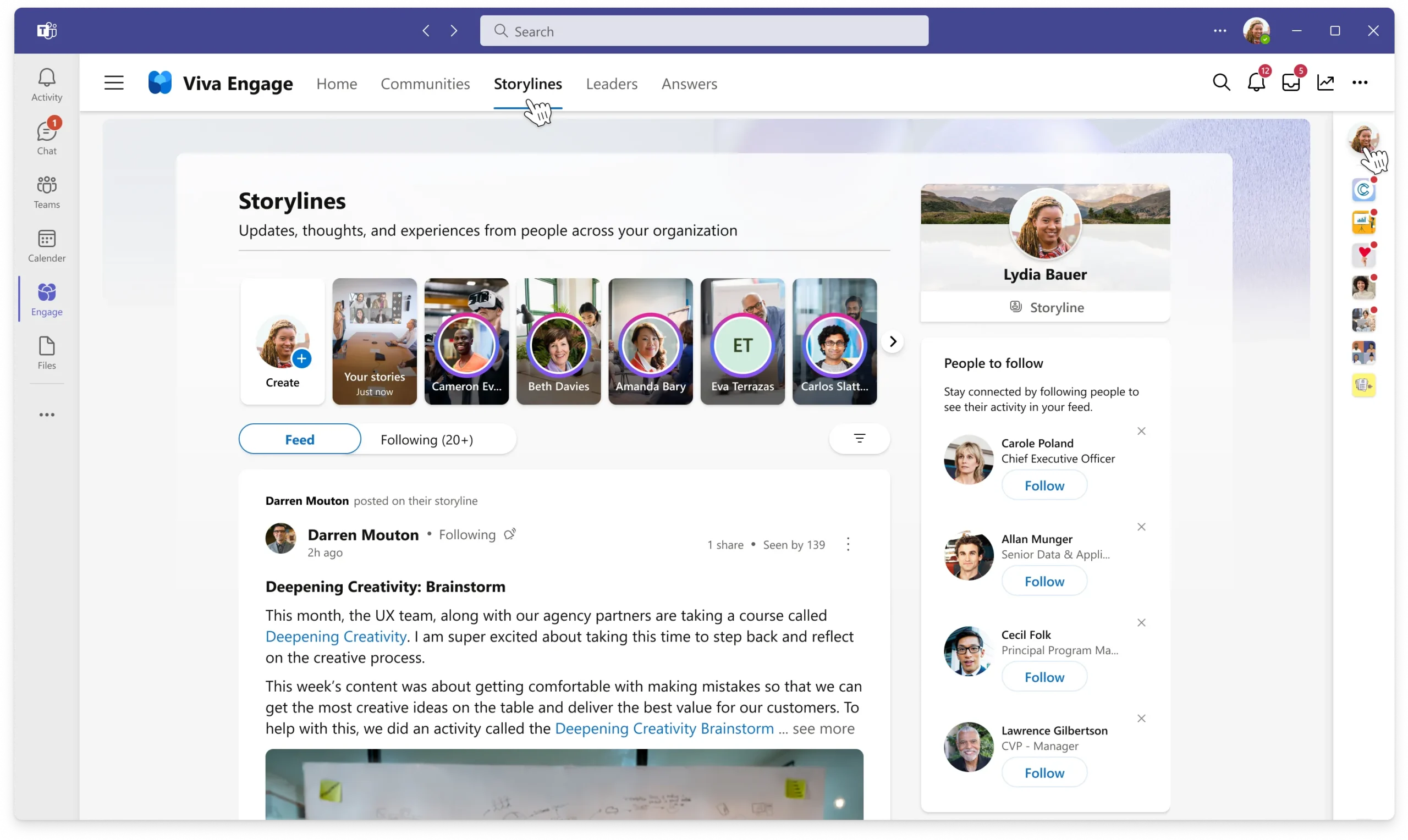
Communities: Communities are the alternative to Workplace’s ‘Groups’. Organisations can create a wide range of community types, from social and hobbyist groups to professional and departmental teams.

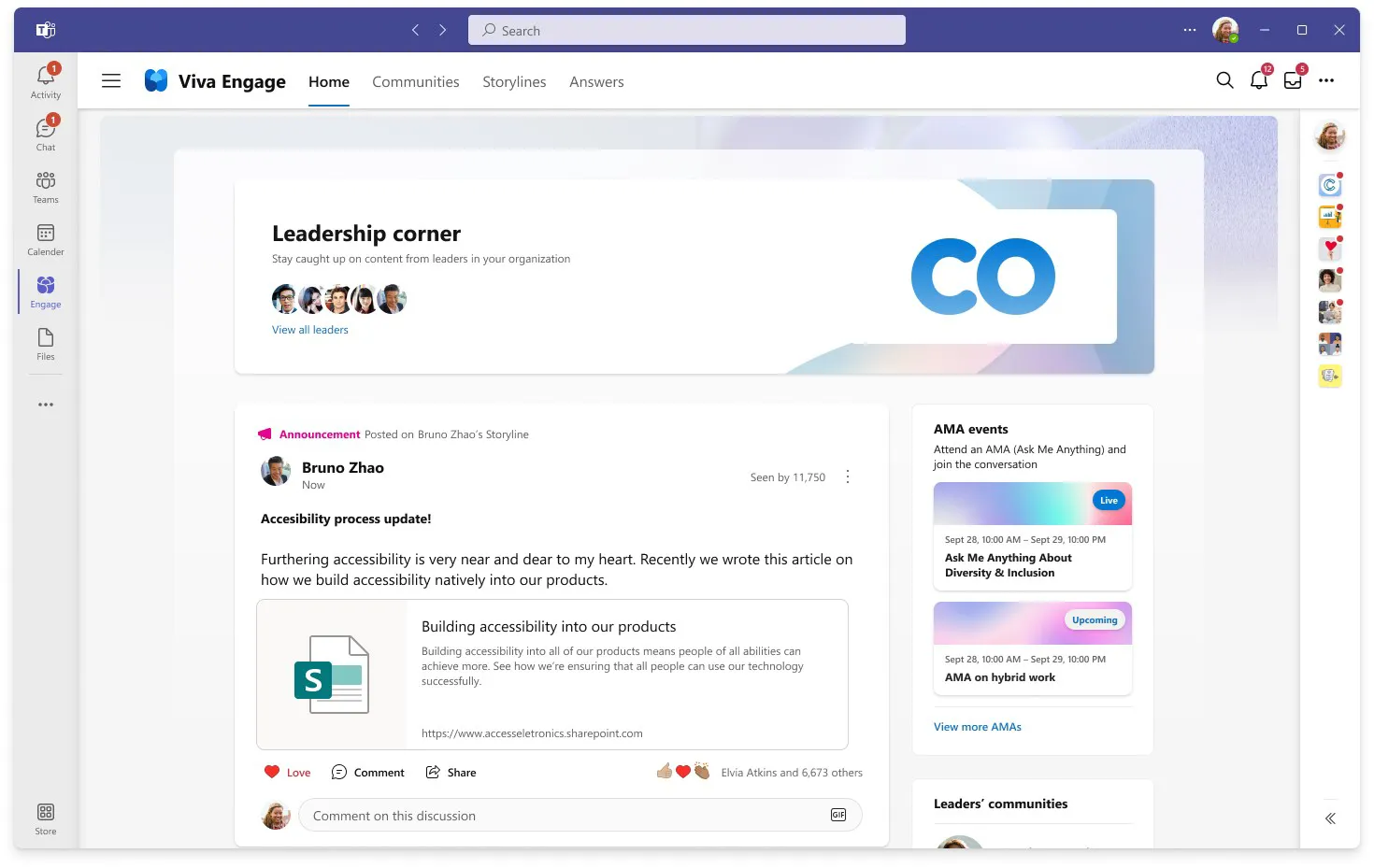
Leadership Corner: Designed to help employees connect directly with leaders, Leadership Corner provides a space for two-way comms, and allows employees to easily find and engage with leaders from across the business.
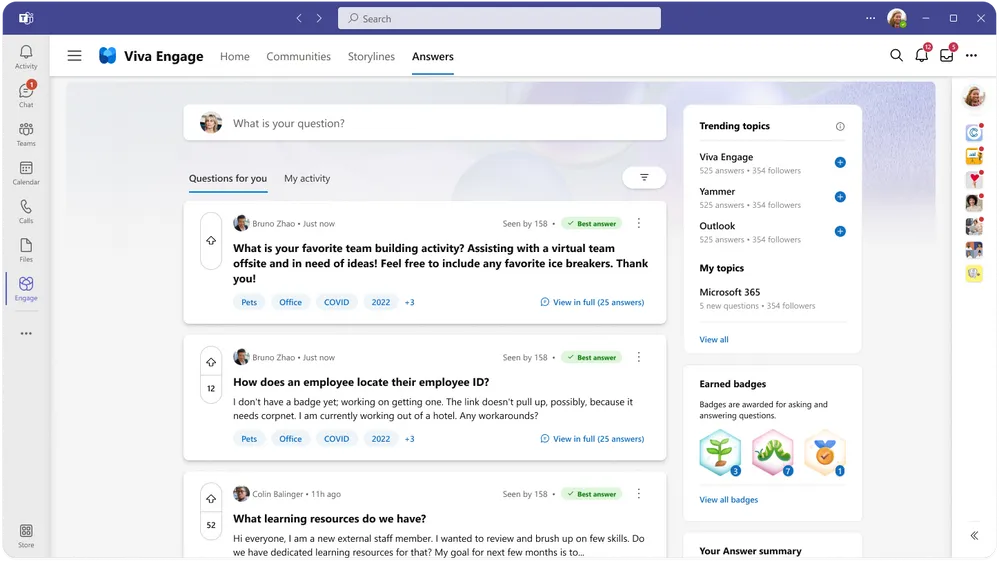
Answers in Viva: Answers is a new feature that really sets Viva Engage apart. It’s an AI powered tool that helps employees find the answers to their questions, quicker. Answers in Viva provides an added layer of knowledge sharing, as well as the social networking and collaboration tools.
Integration with Microsoft 365: Viva Engage is a standalone app, or an app within Microsoft Teams. The Teams integration allows for a seamless workflow as employees do not have to switch between tools. Plus, it’s a great mobile-friendly option for frontline or deskless workers. It can also easily be embedded into your SharePoint intranet through out-of-the-box web parts.
Analytics: Analytics give an insight into trending topics, sentiment analysis and engagement, going beyond basic analytics like views and reactions. This is a great feature for internal communicators to understand which messages are landing well, and which need tweaking.
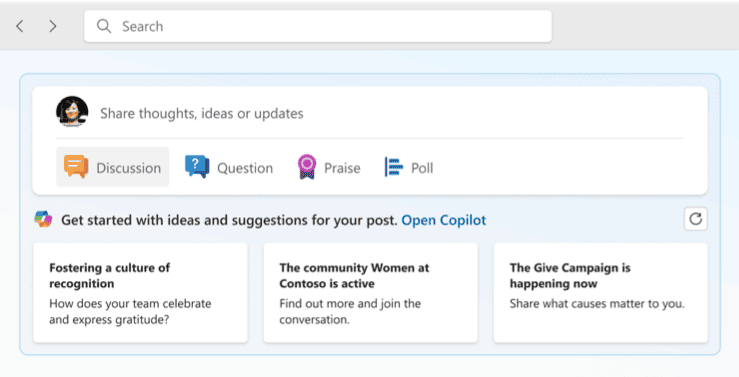
Copilot in Viva Engage: Copilot in Viva Engage brings the power of AI to workplace conversations. By offering intelligent, personalised writing suggestions, summarising discussions, and refining content tone, Copilot helps employees create engaging, high-quality posts with ease.
Demystifying Microsoft Viva
Catch up on our on-demand webinar to learn more about Viva Engage – plus other Viva apps like Connections and Amplify.
Why Viva Engage is the Best Alternative to Meta Workplace
Organisations currently using Meta Workplace need to make a move—and if you’re already using Microsoft 365, Viva Engage is the obvious choice. Here’s why:
It’s Already Part of Your Stack: Viva Engage integrates directly with Outlook, Teams, and SharePoint. If you’re on E3 or E5 licenses, you can start using it at no extra cost. No new platform to learn, no additional software to manage—just better connection within the tools your team already uses every day.
It’s Built for Real Work, Not Just Social Sharing: Yes, Viva Engage includes social features like storylines and communities. But it goes much deeper. It’s designed to surface knowledge, break down silos, and turn conversations into actionable insights. Some organisations have even used it to cut email overload by moving discussions into a space where information is discoverable and everyone can participate.
Employee Experience is the Starting Point: Viva Engage doesn’t just connect people—it’s designed to engage and empower them. It works alongside other Viva tools like Viva Connections and Viva Amplify to create a cohesive employee experience, rather than being another isolated platform.
Security and Compliance Built In: Data protection matters. Viva Engage comes with enterprise-grade security standards as part of the Microsoft ecosystem, so your organisation can be confident that communication and data remain secure and compliant.
It Scales Without Breaking: Whether you’re a mid-size team or a large enterprise, Viva Engage handles growth. It integrates with your existing Microsoft infrastructure, so adding users or managing complex organisational structures doesn’t compromise performance.
How to Migrate from Meta Workplace to Viva Engage
Before you start migrating, ask yourself a harder question: what data actually needs to move?
Much of what lives in Workplace is conversational—discussions about walking challenges, pet pictures, Friday night plans, alongside work-related conversations. Add in comments, reactions, and images, and you’ve got a lot of data to move. But not all of it is worth migrating. That six-month-old chat thread about the office coffee machine? Probably doesn’t need to come with you.
A Smarter Approach: Co-Existence
Instead of a big-bang migration, consider running both platforms side-by-side for a few months. Set up your Viva Engage environment now and let new communities and conversations start growing naturally. Keep Workplace available for anyone who needs to reference old content, but encourage the business to move forward in Viva Engage. By the time Workplace shuts down completely in June 2026, your new social space will already be thriving.
What About Important Documents and Policies?
If you’re storing formal documents in Workplace, they should really live in SharePoint—which is likely where they already are if you’re using Microsoft 365. If you’re new to Microsoft, this is a broader conversation worth having: where should governance, policies, and key documents live in your organisation? That decision should sit separately from your social platform choice.
The Bigger Picture
If your organisation is already embedded in Microsoft 365—using Outlook, Teams, SharePoint, OneDrive—then Viva Engage is the clear choice. It’s not just a replacement for Workplace; it’s part of a connected ecosystem that makes work easier. But if you’re not yet committed to Microsoft, this is the moment to have that conversation properly.
Either way, time is running out. Workplace is now in Read Only mode, and June 2026 will be here before you know it. Silicon Reef help organisations plan migrations that actually work—getting the right content to the right place without the chaos. Get in touch if you’d like to talk through your approach.
We’re helping organisations move from Meta Workplace and get started with Viva Engage. To hear about the work we’re doing and to see how we can help you, say hello.
An Internal Communicator’s Guide to Microsoft Viva
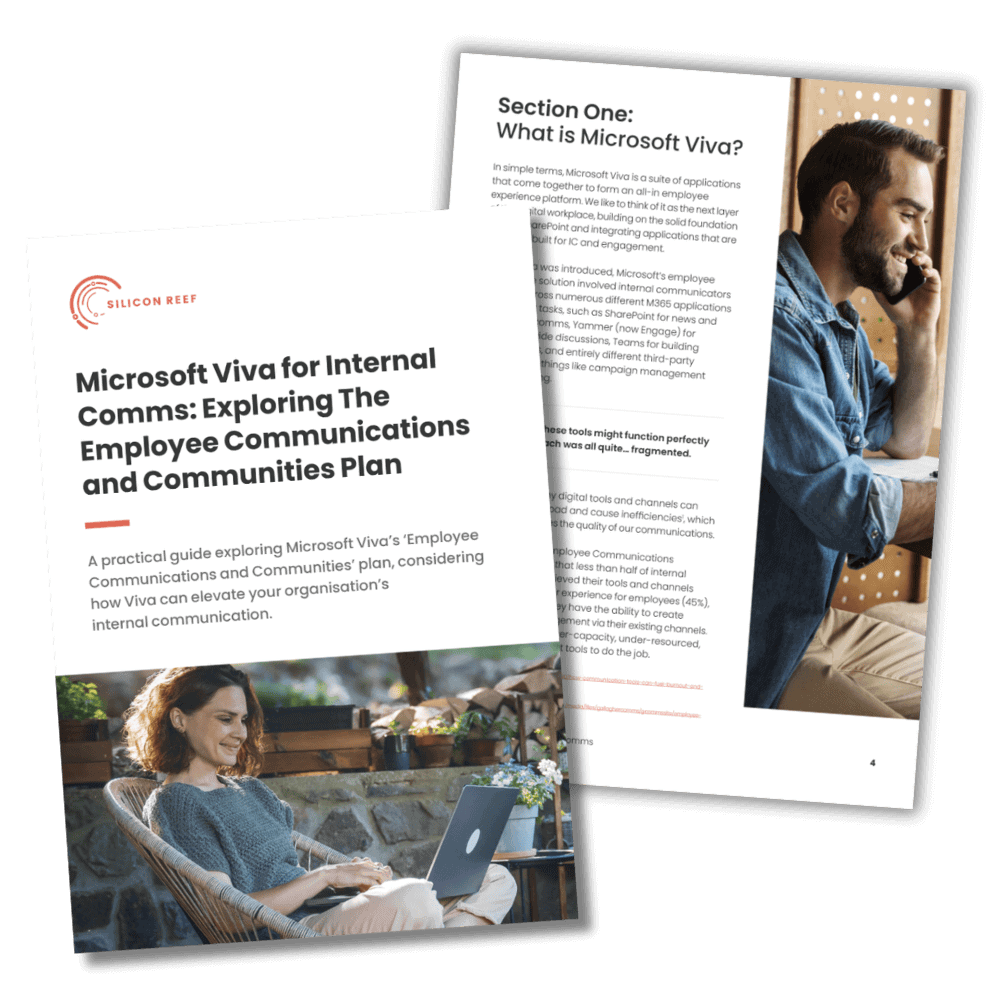
Understand how Microsoft Viva can transform internal communications by integrating engagement, learning, and wellbeing into one platform. This guide offers practical rollout strategies, measurement tips, and real-world examples to help you build a connected workforce.
Why is Viva Engage the best alternative to Meta Workplace?
How can my organisation migrate from Meta Workplace to Viva Engage?
What features does Viva Engage offer that Meta Workplace doesn’t?
Is Viva Engage included in Microsoft 365, and how much does it cost?
When is Meta Workplace shutting down?
Meta has announced that Workplace will be discontinued in 2026. Until August 31, 2025, you can continue using Workplace as usual. From September 1, 2025, to May 31, 2026, Workplace will be accessible in a read-only mode, allowing you to view and download existing data. On June 1, 2026, all access will be terminated, and your Workplace data will be deleted.
To ensure a smooth transition, it’s advisable to plan your migration to an alternative platform well before these dates.
Viva Engage is a strong replacement, offering deep integration with Microsoft 365, advanced security, and enhanced collaboration features to keep teams connected.