
Internal comms teams are under pressure from every angle right now – more channels, more campaigns, more “can you just…” requests – but the size of the team rarely grows to match. What most communicators want from AI isn’t a robot copywriter; it’s a way to strip out some of the manual, repetitive work so they can spend more time on the strategic, creative, human side of the job.
At the same time, there’s a huge amount of noise about “AI-powered intranets.” Everyone is talking about it, but very few explain what that actually looks like in a practical sense. So is it something real we can plan for now, or just another buzzword we’re supposed to get excited about?
The good news is that, in a Microsoft 365 and SharePoint context, there are some very real, very practical ways AI is starting to help – not by writing your content for you, but by taking on some of the heavy lifting behind the scenes. And yes, I know lots of internal communicators have… feelings about SharePoint. Not all of them positive. I’ve lost count of the number of times I’ve heard “we’re stuck with it, but it’s clunky”. The examples I’ll walk through here are exciting precisely because they make the SharePoint experience less painful – both for internal comms teams and for employees who just want to find something or get a task done without doing battle with the interface.
From Intranet to Intelligent Workplace
For years, the SharePoint intranet has been the publishing hub: pages, news, documents, navigation. Important, but a bit flat. More recently, with Viva, Teams, and the wider Microsoft 365 stack, it’s started to grow into something closer to a digital workplace, with social conversations, apps, and insights all rubbing shoulders.
AI is the next layer, but not in the “press a button and your comms plan appears” sense. It’s in the way content is governed, how journeys are stitched together, how tasks are completed, and how employees can get the context they need without hunting through ten places or messaging three people. The real value for internal comms is in reducing friction and admin so they can focus on things like narrative, leadership visibility, and culture.
The three examples below are very deliberately not scifi. They reflect things we’re either seeing now in Microsoft 365, or that are clearly emerging, and they’re all rooted in the SharePoint intranet you already have – not a mythical “new platform” you have to rip and replace for.
Ready for an AI-Powered Intranet?
See how our AI-powered intranets help internal comms teams keep content current, surface the right messages, and make self‑service answers the norm.
1: SharePoint Knowledge Agent – Governance on Autopilot
If there’s one thing internal communications teams consistently tell me they don’t enjoy, it’s content governance. No one gets into comms because they love chasing page owners or auditing document libraries. Yet when those jobs don’t happen, trust in the intranet erodes fast.
This is where SharePoint Knowledge Agent comes in. It’s a Microsoft capability designed to help prepare your SharePoint content for AI and make ongoing governance less of a grind. If you’re licensed for Microsoft 365 Copilot, this is part of the direction of travel you can plan around.
At a practical level, Knowledge Agent helps you to:
- Identify pages that look stale and need review, using signals like last modified date and engagement.
- Improve structure and metadata, so content is easier to find and more reliable when Copilot uses it.
- Spot broken links and other quality issues that undermine confidence.
- Get AI assistance summarising and comparing content, which makes it easier to rationalise and tidy.
Instead of manually trawling through sites to work out what’s out of date or duplicated, internal comms and site owners get nudges and recommendations. Governance becomes more like “review and approve” than “start from a blank spreadsheet and hope.” That’s a big mindset shift: AI is doing the heavy lifting on the unglamorous work that keeps the intranet credible, so comms can devote more energy to campaigns, messaging, and stakeholder work.
It also lays the groundwork for everything else you might want to do with AI. If Copilot is going to answer employee questions using SharePoint content, you need that content to be structured, tagged, and maintained. Knowledge Agent is one of the first serious moves from Microsoft to help teams get there without expecting an army of editors.
I’ve spoken about the SharePoint Knowledge Agent in more depth, if it’s something you’re keen to explore.
2: Adaptive Cards + Copilot – Getting Stuff Done on the Page
The second use case is all about making the intranet a place where work actually happens, not just somewhere you read about work and then click off to another system. This is a theme that’s come up again and again in recent conversations: if we want to call this a “digital workplace”, employees need to be able to do more than scroll past news and find policies.
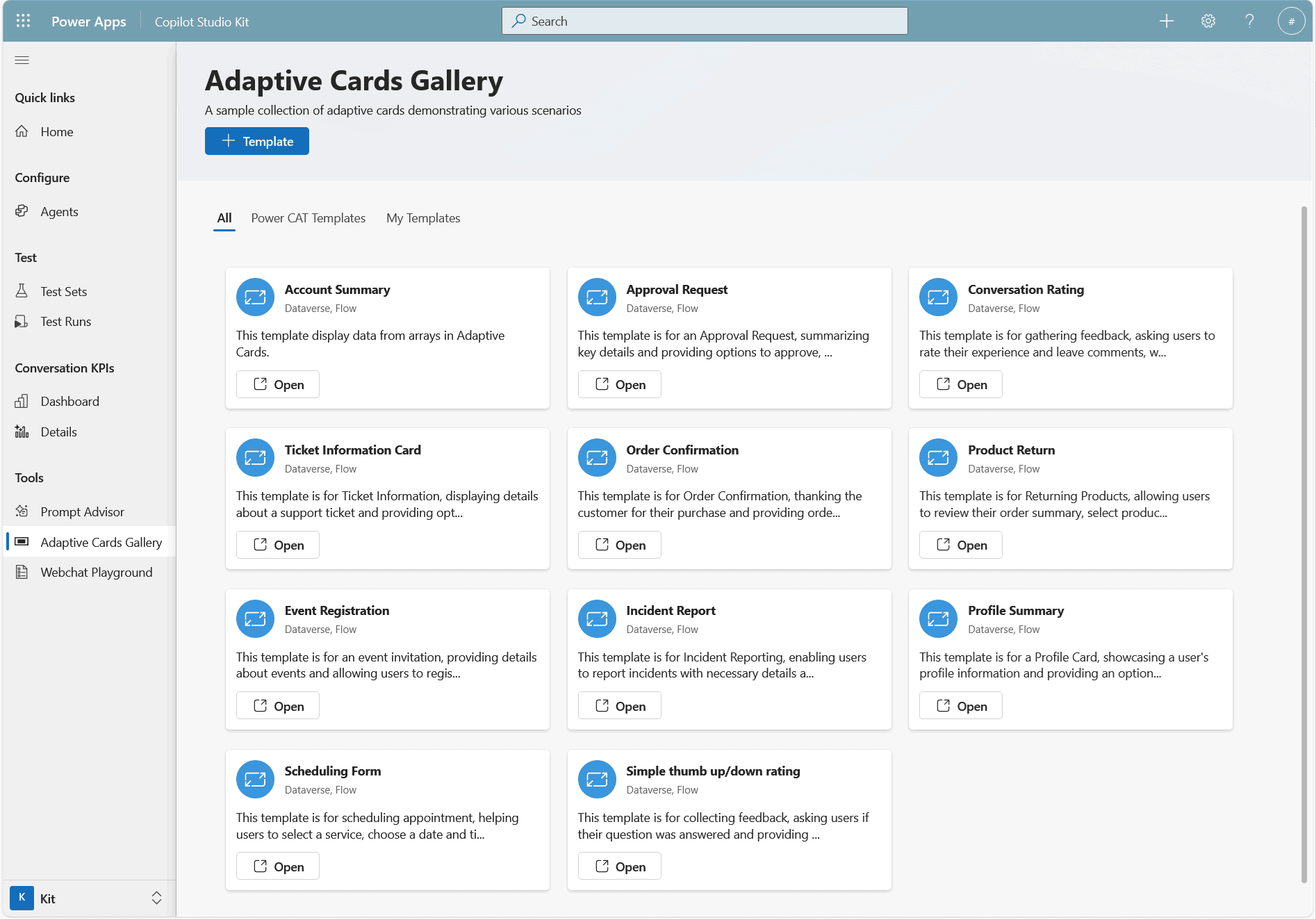
A lot of that conversation is now centring on Adaptive Cards. If you’ve not bumped into them yet, think of them as small, interactive panels that can sit inside experiences like Viva Connections, Teams, or a SharePointpowered dashboard. They look like part of the page, but behind the scenes they’re connecting into other systems.
In their simplest form, Adaptive Cards can:
- Show someone a snapshot (for example, their remaining annual leave or open IT tickets).
- Present a short form (like a pool car booking or expense submission).
- Offer quick actions (approve, decline, acknowledge) without opening a separate app.
That alone is a step up from the classic “link farm” intranet, because you’re starting to pull activity into the page. What gets interesting is when you combine those cards with Copilot and AI orchestration so they’re not just static forms, but responsive experiences.
Rather than dropping employees into a long, generic form, you can let them explain what they need in everyday language and have AI:
- Interpret the intent (“I need a pool car in Glasgow tomorrow from 10–2”).
- Prefill the relevant card fields (location, date, time, vehicle type).
- Ask only the followup questions that matter for that person.
- Route the data into the right downstream system — whether that’s HR, IT, finance or something custom.
So you might end up with a SharePoint homepage or Viva dashboard where, in one place, someone can:
- Book a pool car for tomorrow without opening a separate transport portal.
- Submit an expense with the receipt uploaded and key details already pulled out.
- Log an IT issue, with the description automatically categorised and prioritised.
- Request annual leave, seeing their balance and avoiding clash dates.
- Update their personal details, with the card handling the complexity of which HR system to talk to.
From an internal comms angle, this directly supports the story many teams are already telling: “your intranet is more than just news.” It becomes the front door not just to information, but to action. And again, AI’s role isn’t to write content; it’s to reduce friction and clean up the messy middle between “I know what I need to do” and “I’ve actually done it.”
It also helps rehabilitate SharePoint’s reputation for the comms folks who currently see it as a static, slightly stubborn CMS. When you can show an intranet where people can genuinely complete tasks onpage, the conversation about its value shifts dramatically.
3: Campaign & Strategy Agents – Always-On Support During Transformation
The third example is one we’ve been sketching out with clients who are going through big transformations or restructures: campaign or strategy agents.
If you’ve ever run a major change campaign, you’ll know the pattern. You put huge effort into getting the content right: town halls, FAQs, intranet hubs, slide decks, talking points for managers. Then the real questions start – sometimes publicly, but often in side chats, 1:1 conversations, or not at all because people don’t want to look like they’ve missed something.
A campaign agent lives alongside your formal comms as a private, alwayson Q&A channel. You train it on approved material – strategy documents, FAQs, leadership messages, policy updates, anything stored in SharePoint that you’re happy to stand behind. Employees then ask their questions directly to the agent and get answers drawn from that content.
In one recent example, an organisation we worked with created a SharePoint library specifically for their strategy content, connected it to an agent, and invited employees to “ask anything about the strategy” in a confidential space. The agent responded using the official material, and the comms team received anonymised insight into what themes and worries were surfacing.
The benefits for internal comms are significant:
- Fewer repetitive FAQs hitting the inbox or piling up after town halls.
- Better visibility of what’s actually confusing people, in their own words.
- A safer route for employees to ask “obvious” questions they might avoid posting in public channels like Viva Engage.
- A tighter loop between what leaders think they’ve communicated and what’s really being heard.
In some cases, this helps people ask the “obvious” questions they might not feel comfortable asking in a community channel. It doesn’t replace human conversations or line manager briefings, but it fills an important gap: a space where people can explore and digest change at their own pace, without losing the alignment and control that comms and HR teams need.
So What Does an AI-Powered SharePoint Intranet Actually Mean?
Pulling this together, an “AI-powered intranet” in a SharePoint and Microsoft 365 world isn’t a shiny, abstract concept. It looks like three very practical shifts:
- Governance that feels less like a chore: Knowledge Agent doing the first pass on what’s stale, messy, or badly structured, so internal comms can focus on judgement calls rather than spreadsheets.
- Workflows embedded where people already are: Adaptive Cards plus Copilot turning the intranet into a place where you actually book, request, log, and update, instead of always clicking away into something else.
- Campaign support that respects psychology: strategy and campaign agents giving people a safe way to ask questions and giving leaders a clearer view of how messages are landing.
None of this replaces the need for good content, clear narrative, or human leadership. In fact, it makes those things matter more, because the mechanics underneath are less distracting. AI won’t replace your intranet – but it will elevate it. And the organisations experimenting with these kinds of examples now will be the ones who see the biggest gains when this all becomes standard across Microsoft 365.
If you’d like to see what these examples could look like inside your SharePoint environment – and where they might genuinely take some weight off your internal comms workload – I’m always happy to walk through it with you.
Ready to simplify your comms toolkit?
Dive into our Internal Communicator’s Guide to Microsoft Viva and see how you can bring your tools – and your people – together.