
Branded SharePoint Design Made Easy
If you own internal communications, you know when intranet pages feel flat.
Beacon Design gives you a set of ready-made web parts and branding tools inside SharePoint so you can design modern, accessible pages in minutes, using the platform you already have.
What is Beacon Design?
Beacon Design is Silicon Reef’s intranet design accelerator. It’s a simple, powerful component suite that helps busy teams create well-designed SharePoint pages in minutes. No designers or developers required.
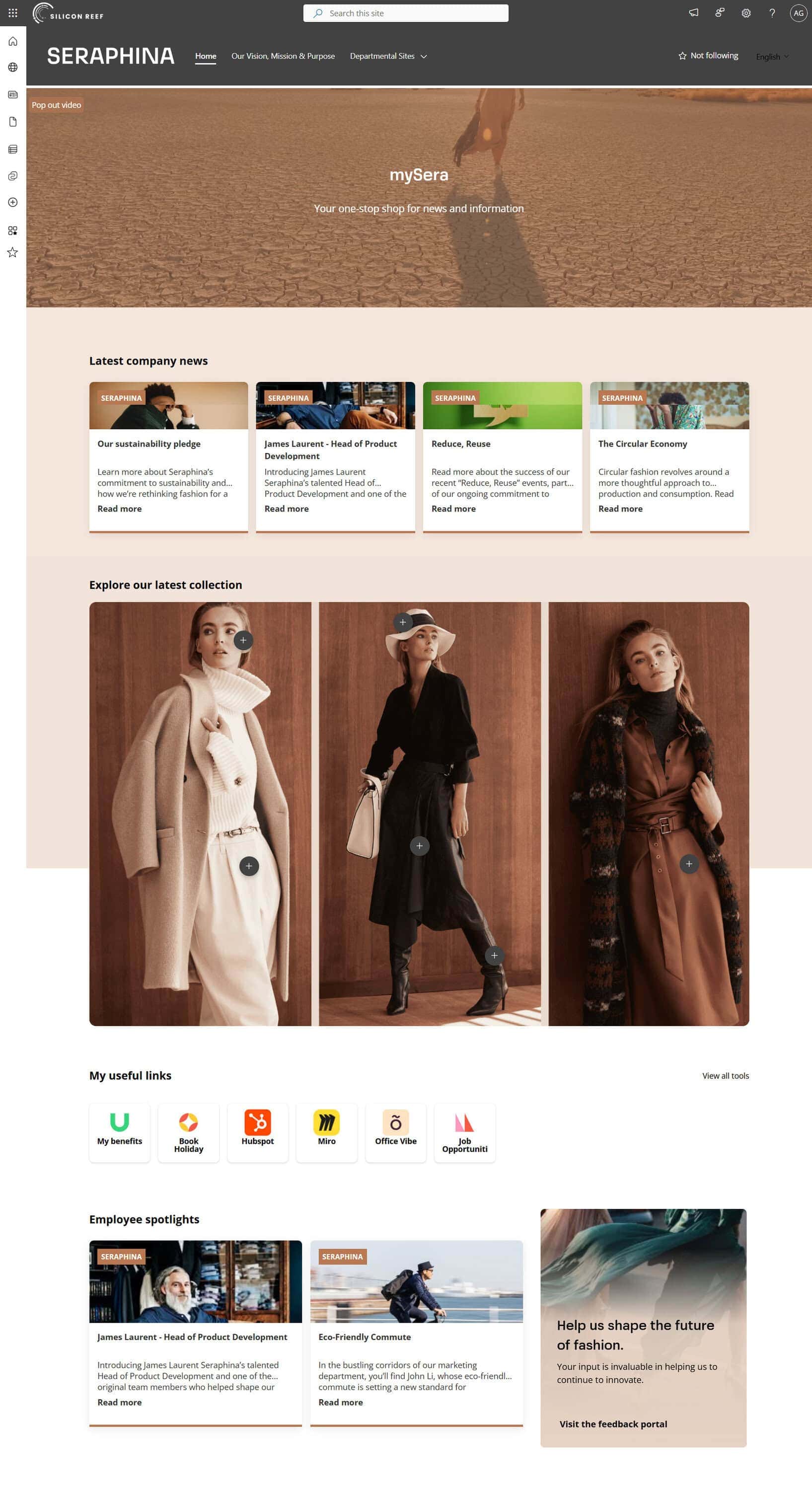
With advanced web parts and branding controls, Beacon Design makes your intranet look and feel like a custom website – while still behaving like SharePoint behind the scenes.
Our Beacon Clients















I’ve been working as a SharePoint developer for 17 years, and it’s the first time I’ve seen something that I can see how it’ll make my life easier.
It feels modern and swish. The search function has been fab – people love being able to search across the whole site and intranet.
Key Features
Branding & Layout
Branding Customiser
Magazine Style Layouts
Go beyond standard SharePoint sections with flexible layouts that support feature areas, multiple columns and more editorial style pages.
Section Backgrounds & Layouts

Paralax scrolling background
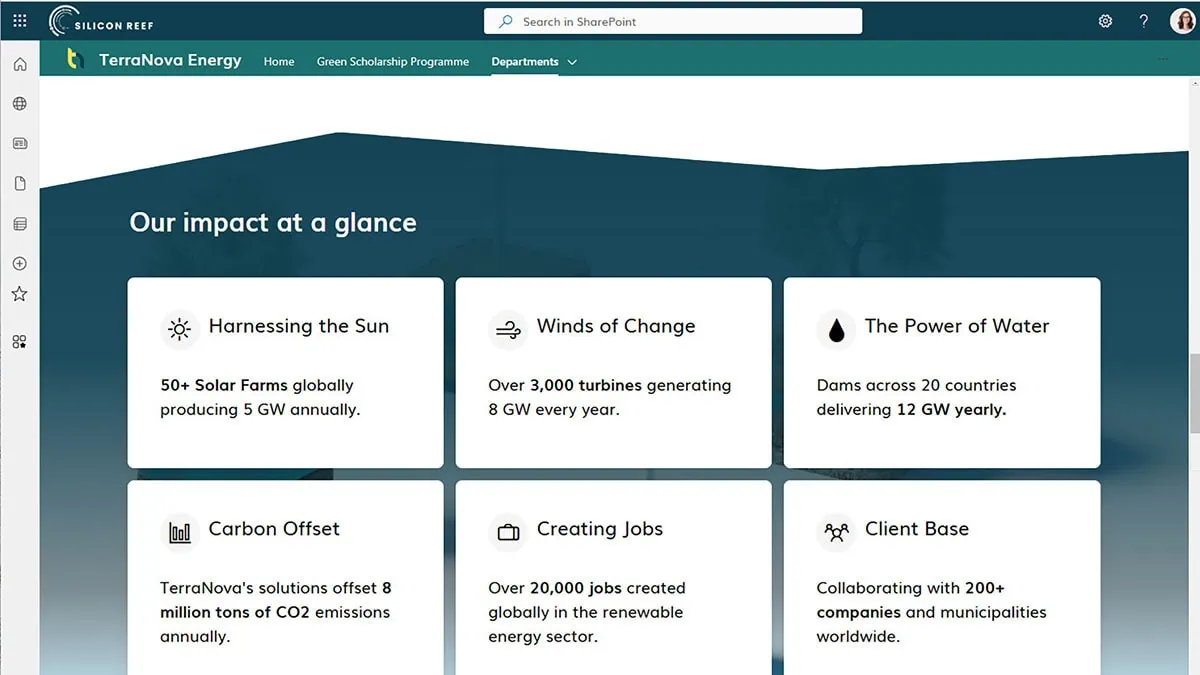
Custom borders
Content Presentation
Showcase Banner
A large hero banner for page headers, launches or announcements, with image or video background, overlay text and CTA buttons.
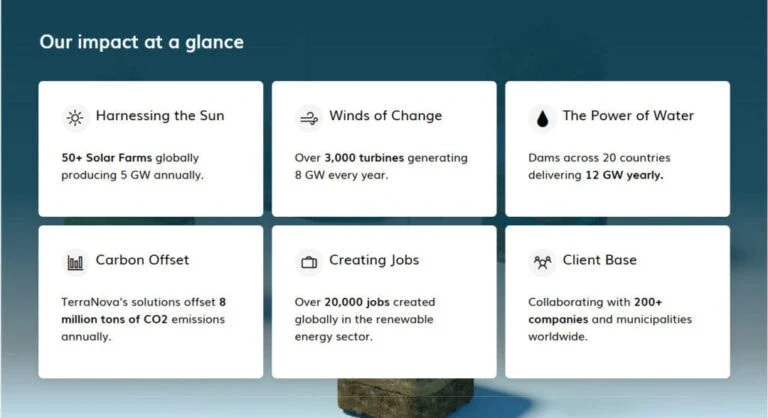
Content Highlight
Automatically pull through the latest news or documents from selected libraries and display them as modern cards or carousels.
Content Spotlight
Manually pick key pages or links to feature as cards, tabs or carousels for “top tasks” or curated content.
Image Hotspots
Create interactive images with clickable hotspots for org charts, office maps or process diagrams.
Rich Content
Structure dense content into tabs, accordions or multi column layouts, perfect for FAQs, policies and knowledge pages that need to stay scannable.
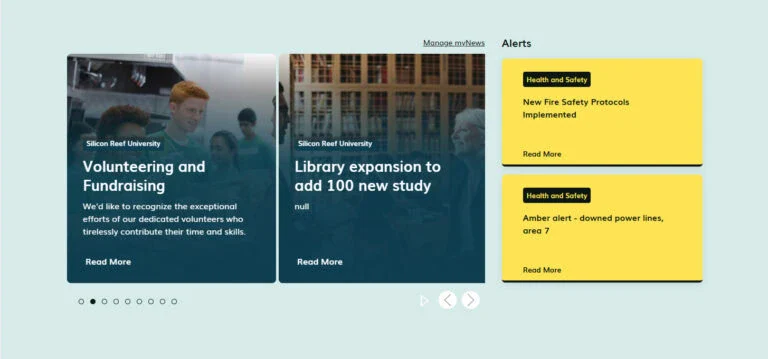
Content highlight
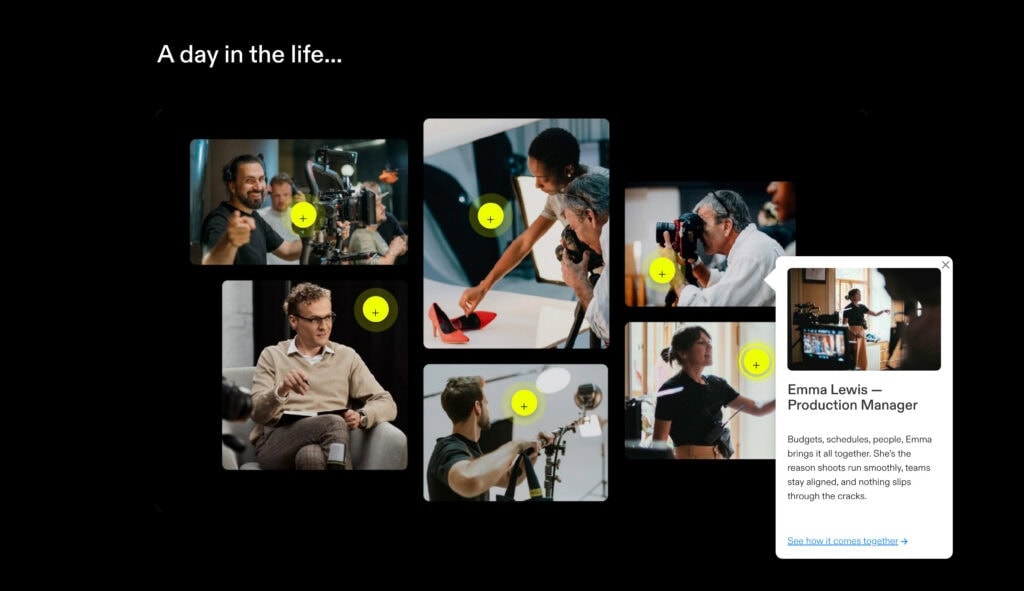
Image hotspots
Rich content
Accessibility & Governance Tools
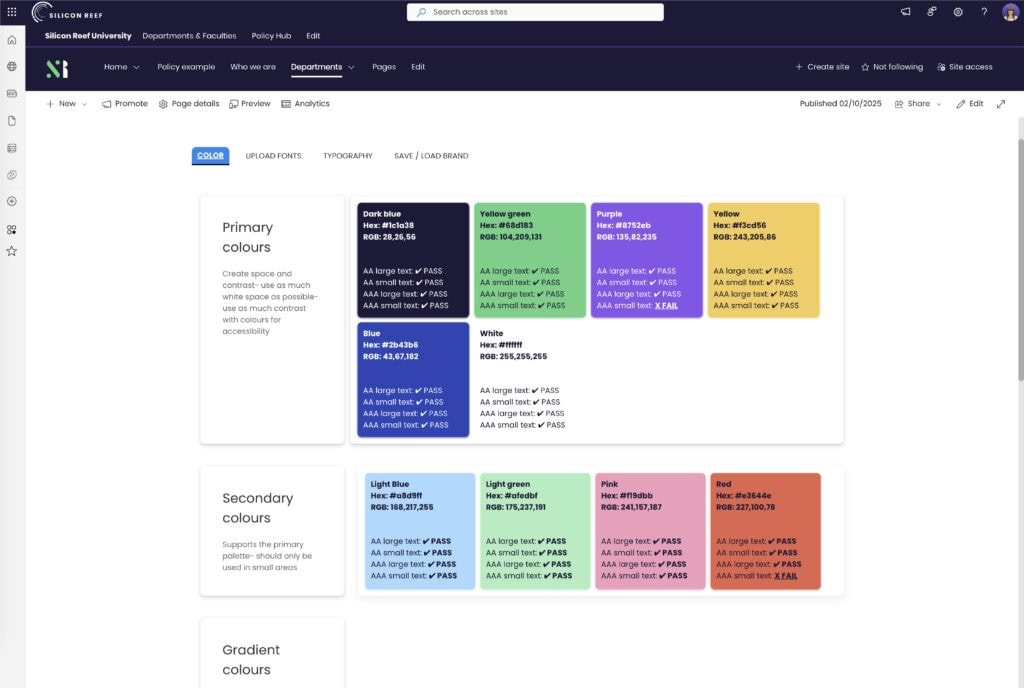
Accessibility Checker
Inclusive Templates & Presets
Page structures and styles that follow good practice for headings, readability and responsiveness as standard.
Governed Style Choices
How Much Does Beacon Cost?
Client Stories

Unified Digital Workplace for a Global Renewable Energy Leader
A modern Microsoft 365 intranet connecting international teams, eases access to information and supports a vibrant company culture

Empowering Higher Education Comms
A new branded intranet with custom page templates for the University of Leeds.

7 Day Intranet Transformation
A brand-aligned design refresh for financial services firm TP ICAP.
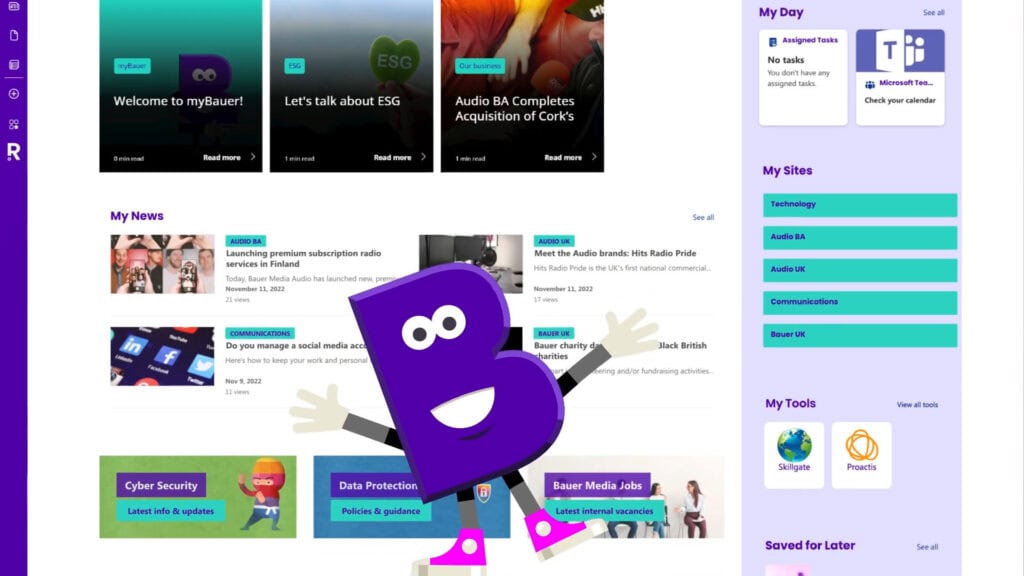
Bauer Media Group set out to create a personalised intranet experience that truly works for every employee.
In this 60 second overview, see how we brought that vision to life using SharePoint and Beacon.
Video created by our friends at The Surgery
See What’s Possible with Beacon
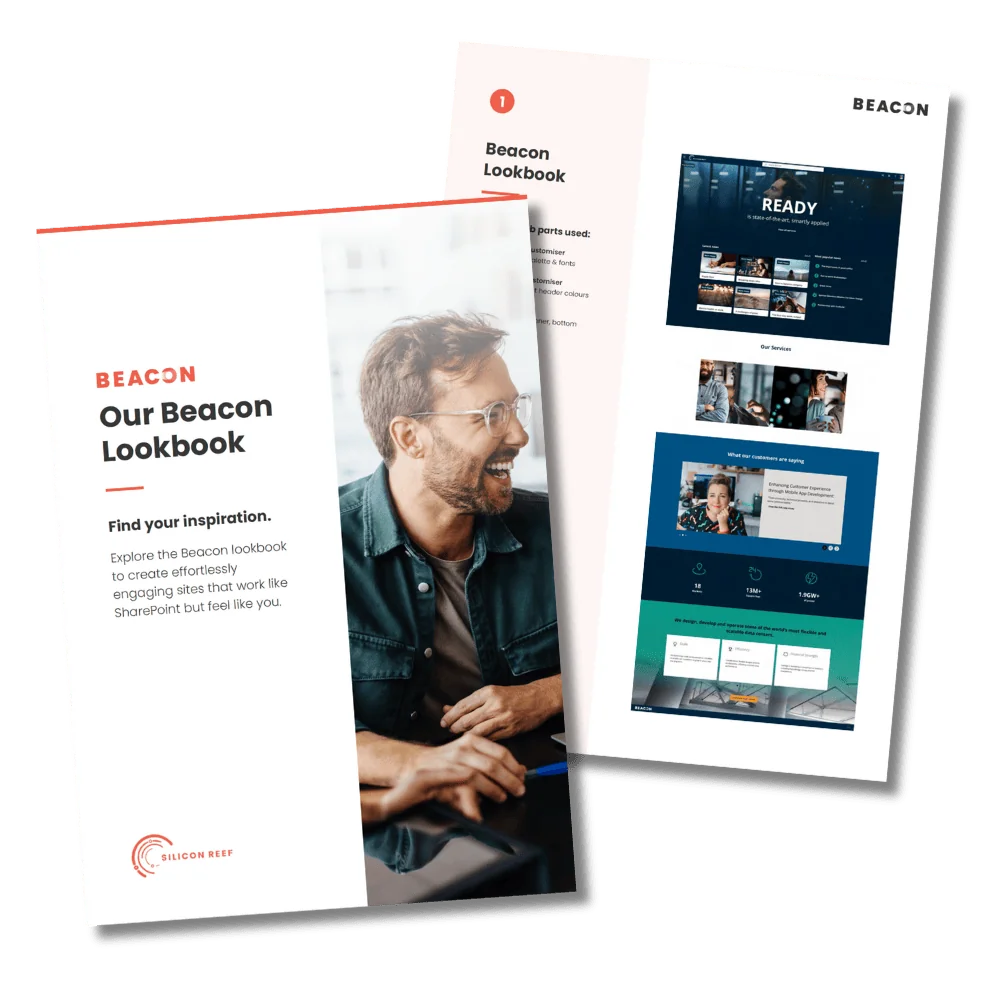
Beacon comes to life once you see what it can do. Browse some examples of SharePoint page designs created with Beacon to see the kinds of intranet experiences you could create.
Who is Beacon For?
Beacon Design is for the people who live in SharePoint day in, day out – the internal comms teams shaping messages and the IT teams keeping everything running smoothly. It gives communicators more freedom to design great intranet experiences, and gives IT a governed, supportable way to extend what SharePoint can do.
Benefits for Internal Communications
Tell better stories on the intranet – Use hero banners, rich layouts, accordions and media to bring campaigns, strategy and culture to life.
Make important news impossible to miss – From homepage takeovers to alert banners, Beacon helps you put critical announcements front and centre.
Real autonomy with page design – No more waiting on IT for layout tweaks or custom code – editors drag in web parts and configure them in a friendly pane.
Keep everything on brand and accessible by default – Branding rules and accessibility checks guide editors as they build.
Reuse proven page patterns – Turn successful layouts into templates, so new campaigns and updates are quicker to spin up and more consistent.
Benefits for IT & M365 Teams
Built on Microsoft’s supported framework (SPFx) – Runs entirely in your tenant, using your existing security, permissions and compliance model.
Reduces bespoke intranet development – A supported library of components maintained externally, instead of custom code you have to own.
Gives business users safe autonomy – Comms and site owners can self serve within guardrails, cutting down on low value layout requests.
Provides a governed, supportable baseline – Branding, accessibility and layout rules are enforced through configuration
Acts as a ‘jumping off point’ for advanced teams – Experienced SharePoint developers can still extend and integrate on top of Beacon, using it as a standardised front end layer rather than starting from scratch each time.
Where Beacon Shines: Common Use Cases
Beacon is designed for the everyday pages internal comms teams rely on – and for the bigger moments when you need your intranet to really stand out.
A few of the most common ways our clients use it are:
Intranet Homepages
Leadership & Culture Pages
Department & Team Pages
Knowledge Hubs & Resource Centres
Build brand centres, policy hubs or onboarding spaces where people can quickly find what they need, supported by clearer structure and richer presentation.
News & Updates Hubs
Create eye-catching headline news for maximum impact. When combined with Beacon News, you can also personalise employees’ news feeds.
Campaigns & Announcements
Spin up campaign hubs and homepage takeovers for strategy launches, culture initiatives or change centres.
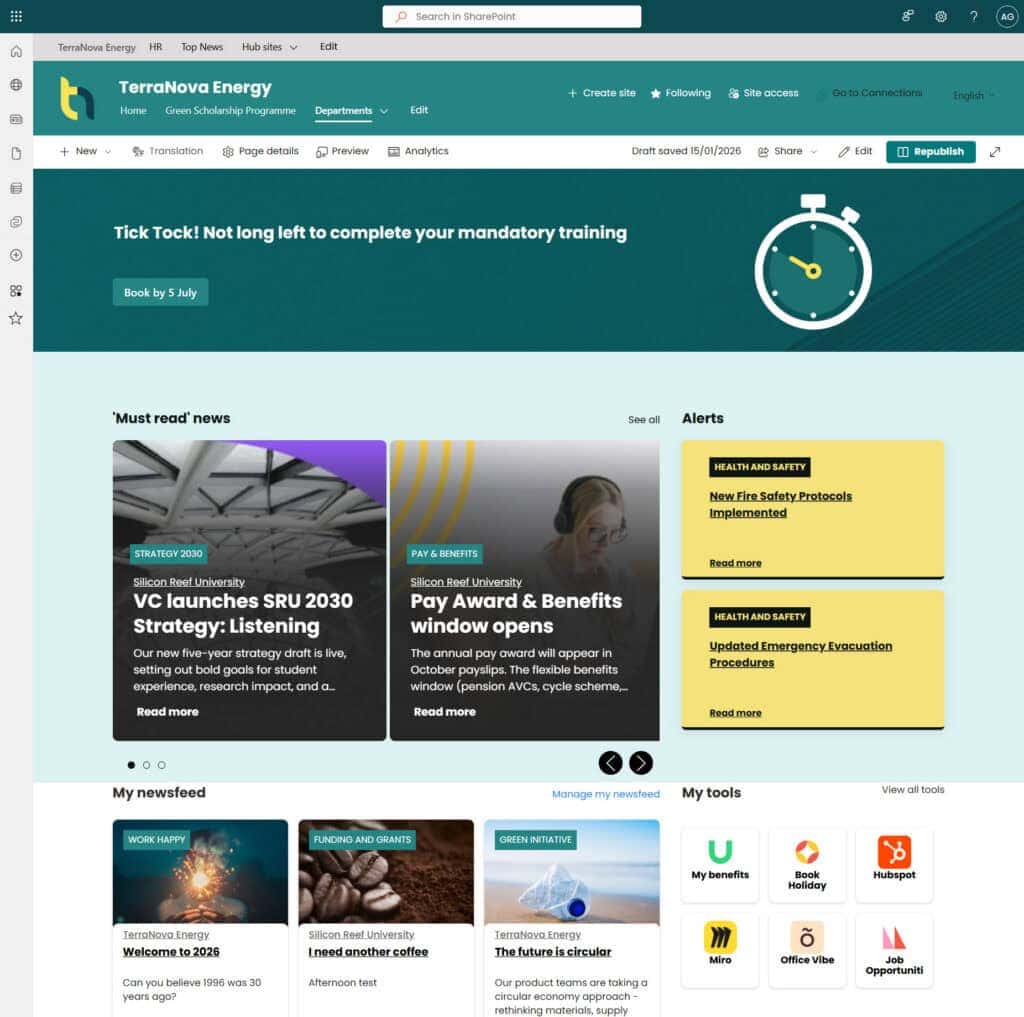
Intranet homepage & news hub
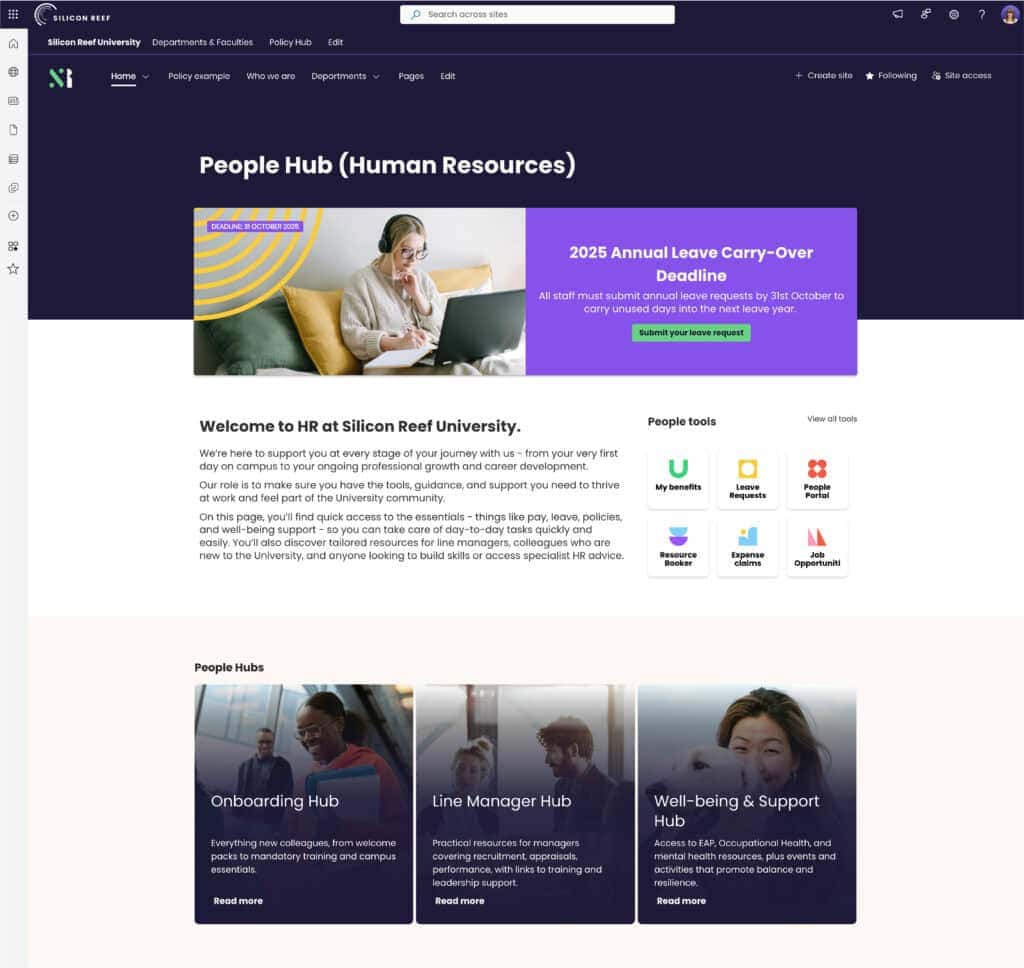
HR department hub
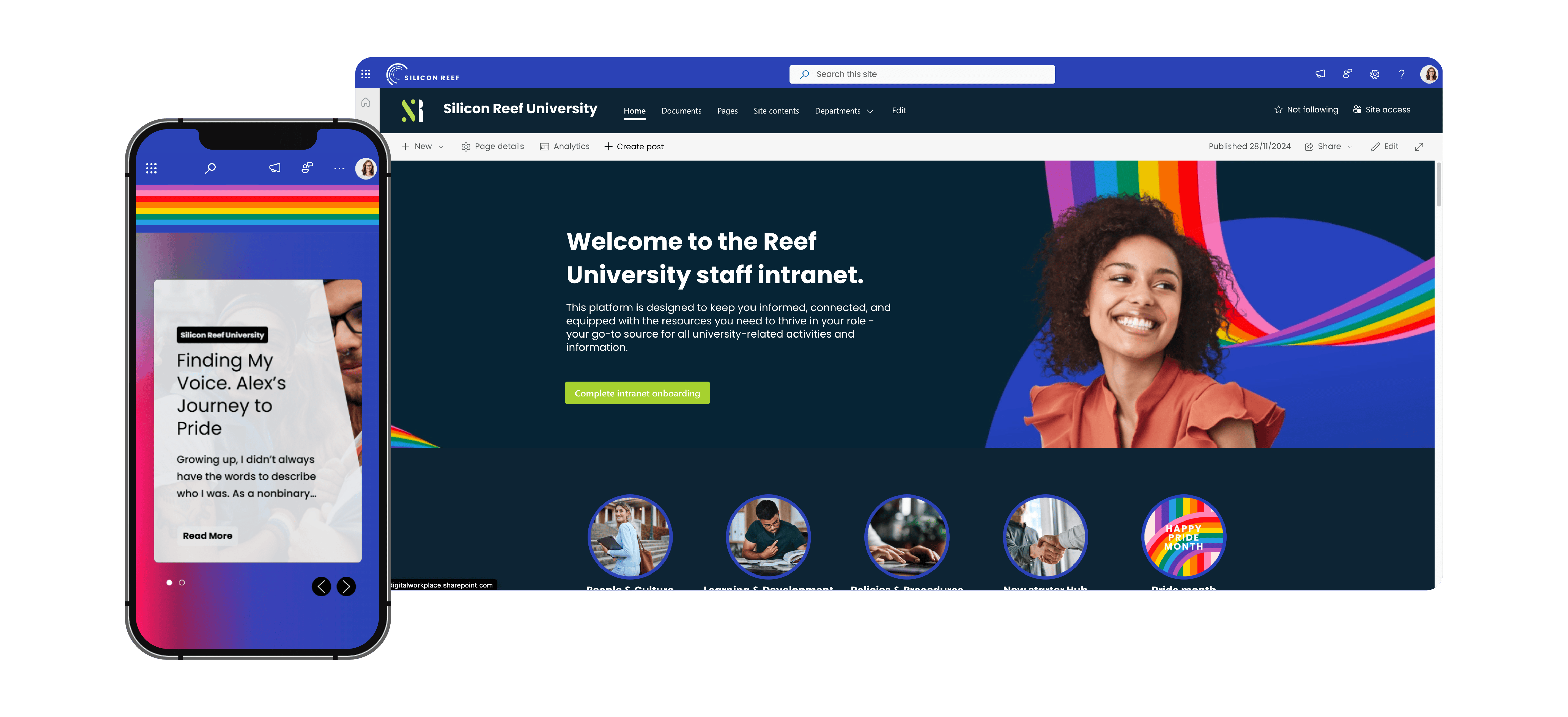
Homepage takeover
Beacon vs SharePoint Out-of-the-Box
Microsoft is evolving SharePoint’s native page and branding tools, which is great news for intranet owners. With Beacon, our goal is to stay one step ahead of what’s available out-of-the-box.
|
|
SharePoint Out-of-the-Box |
Beacon |
|---|---|---|
|
Custom Fonts |
Configure custom fonts in SharePoint Brand Centre | Define custom heading styles and use custom paragraph styles like advanced custom pull-quote styles |
| Custom Colour Palette | 1x primary colour + tints, 1x text colour, 1x background colour | Unlimited colour swatches, with built in accessibility checker |
| Coloured Section Backgrounds | Choose from 4 colours as defined in your theme (primary colour, tint, light grey and white as default) | Pick from any colour swatch in your custom colour palette |
| Gradient Section Backgrounds |  |
 |
| Image Section Backgrounds | Possible, but only available with black or white image overlays | Choose overlays from your custom colour palette |
| Custom Section Shapes | |
|
| Video Banner / Header Backgrounds | |
|
| Custom Menu Bar Colour | Choose from 4 colours as defined in your theme (primary colour, tint, light grey and white as default) | Pick from any colour swatch in your custom colour palette |
| Custom Button Colour | Uses the primary colour defined in your theme. Button hover colour is automatically generated | Pick both button and hover colour from your custom colour palette |
| Sub-brands | Sites within a hub share branding. Different hubs can have their own theme. | Sites within a hub share branding. You can also create separate branding for associated sites. |
If you’re committed to sticking with SharePoint’s out-of-the-box tools, that’s fine too. We also offer SharePoint design services that work solely with native capabilities, without adding any extra tools.
Our Other Beacon Tools
Beacon Design is part of a wider suite of SharePoint accelerators that help you get more out of your intranet. With the design tools as the foundation, you can opt to layer on additional Beacon products to go further with navigation and news.
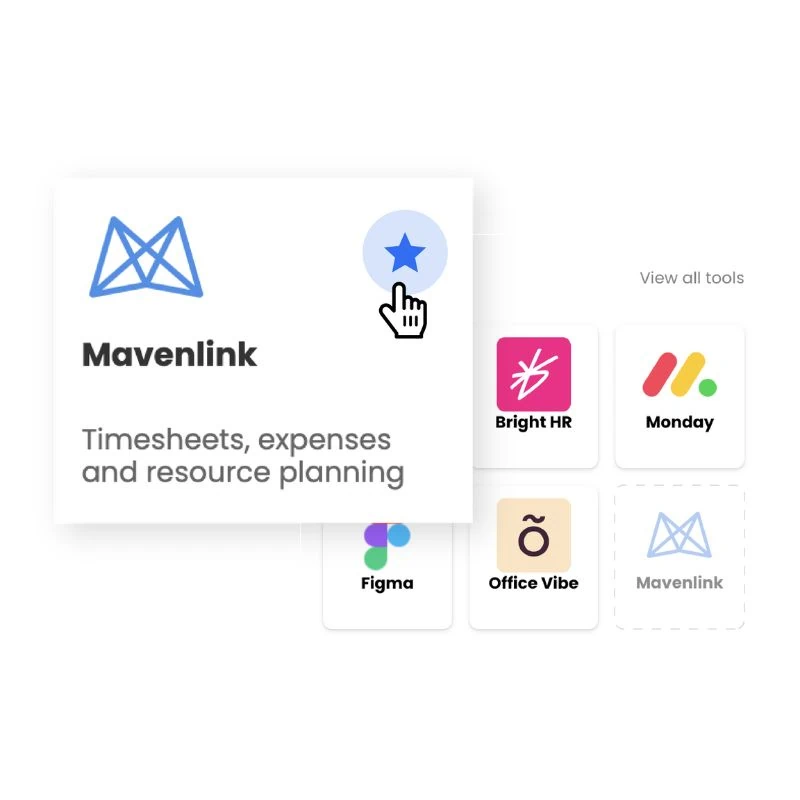
Beacon Links
Beacon Links gives employees a personalised list of tools and quick links, making it easy to jump straight into the apps and pages they use every day.
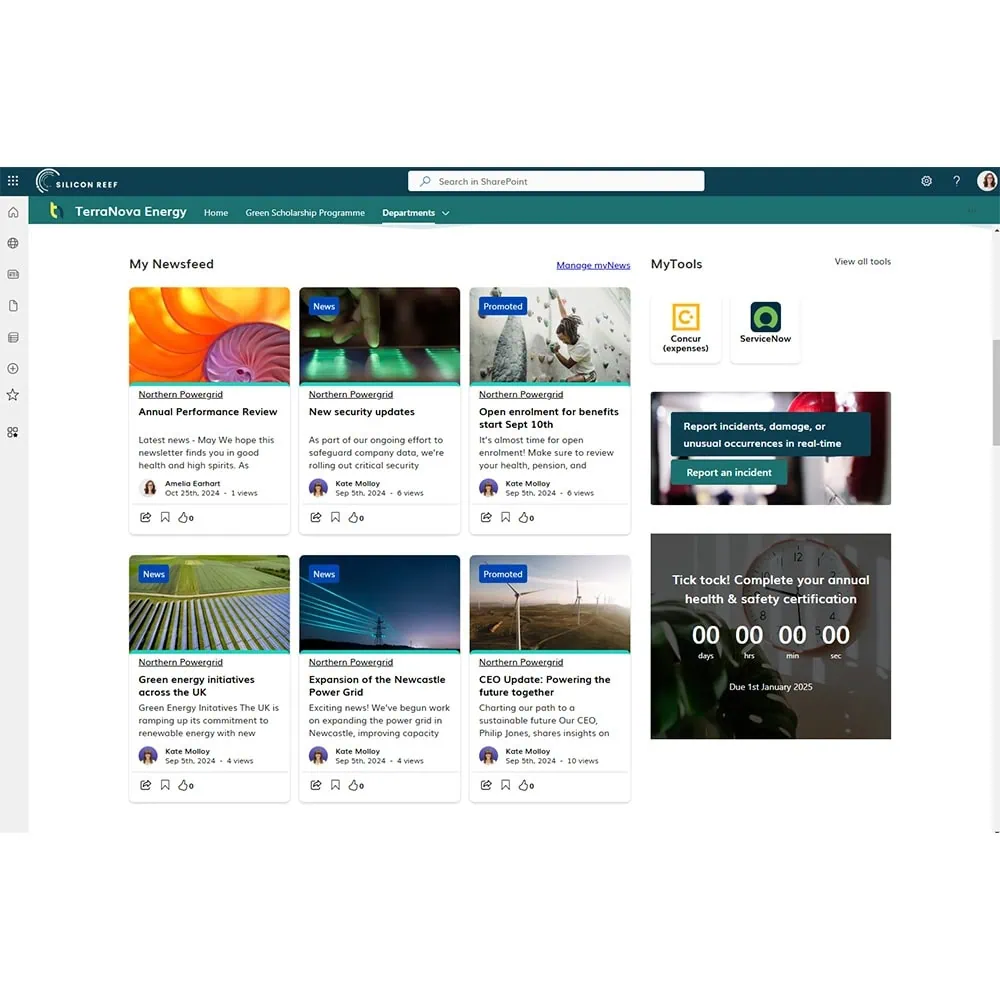
Beacon News
Beacon News gives employees a personalised intranet news feed, letting them choose the topics and updates they subscribe to so the news they see feels more relevant.
Send us a message
We help organisations of all shapes and sizes elevate their digital employee experience with Microsoft 365 — from intranets and document management to workflow automation and AI. Tell us about your goals, and we’ll help you get there.